Key Takeaways
- What exactly is the Google Ad Grant, and why are most nonprofits barely using it?
- Does your Arkansas nonprofit actually qualify for the grant?
- What does it take to activate the grant and start running ads?
- What compliance rules could get your account suspended?
- What should you actually advertise to move the mission forward?
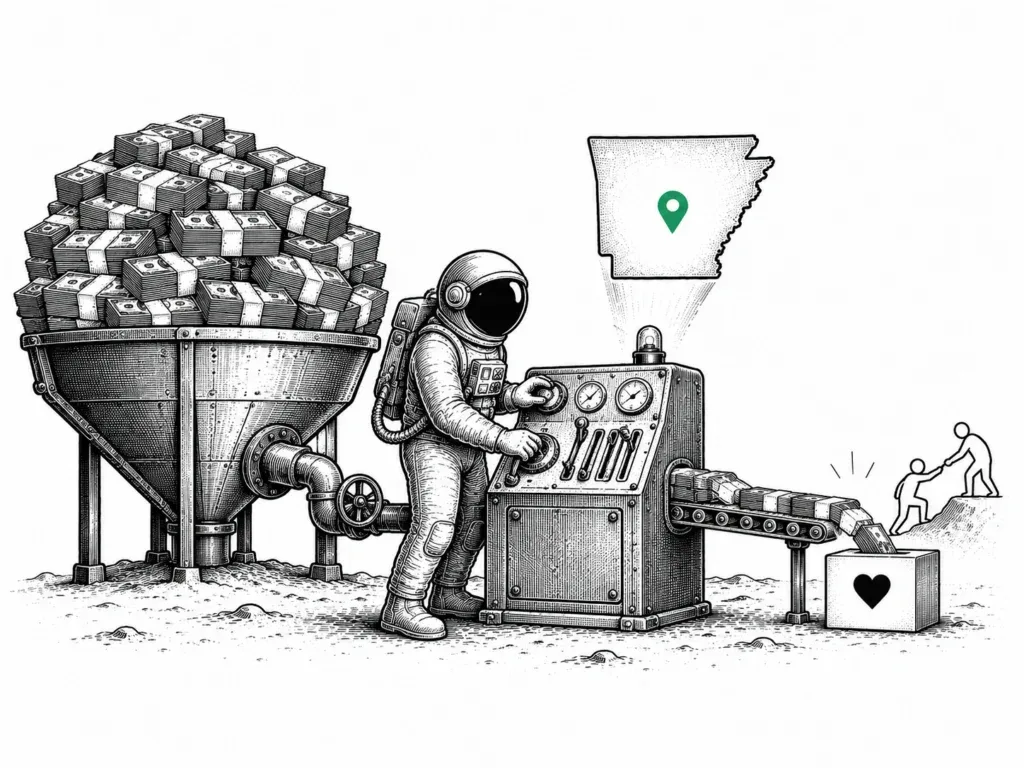
Most Arkansas nonprofits approved for Google Ad Grants are spending roughly $300 a month of a $10,000 monthly credit. That is not a rounding error. That is $9,700 sitting on the table every month while your programs go unseen by the people who need them most.
Think about what that means on the ground. If you run a food pantry in Little Rock, a mentorship program in North Little Rock, or a workforce training initiative out in the River Valley, that gap is real volunteers who never signed up, real donors who never found you, real supporters who were searching and landed somewhere else. The grant exists. The money is available. The question is whether you are using it in a way that actually does something.
At iProv, we work with nonprofits across Arkansas, and what we see again and again is not organizations that are not trying. It is organizations that never got a strategy to go with the application. Getting approved is one problem. Knowing what to build inside the account is a completely different one. That is what we are going to walk through here.
What Is the Google Ad Grant and Why Are Most Arkansas Nonprofits Leaving $9,700 on the Table?
Google gives eligible 501(c)(3) nonprofits up to $10,000 per month in free Google Search advertising through its Ad Grants program. No auction. No cost per click billed to your organization. Just a monthly credit you can use to put your mission in front of people actively searching for what you do.
So why is the average utilization closer to $300? Getting Attention, citing Feathr research, puts the number squarely in that range. The gap comes down to structure. Nonprofits activate the account, set up a few broad campaigns, and watch impressions stall while the budget goes unspent.
Think about what nonprofits actually need ads to do. Sometimes it’s recruiting volunteers before a big event, when timing matters and you need people fast. Other times it’s pushing a program page to the exact people who qualify, seniors in a specific county or caregivers searching at midnight. Year-end giving season demands a completely different campaign than a newsletter signup push. The keywords change. The landing pages change. Treating all four of those as the same problem is where a lot of organizations waste their grant.
That is the thinking behind how we approach grant accounts at iProv: treat the $10K as a real acquisition channel, not something you activate once and forget. A grant without structure is just noise in the system. One with the right setup behind it becomes a genuine growth engine for your mission.
Before any of that can happen, though, you have to qualify. Eligibility is the first gate, and the rules around it have changed. The verification process now runs through Goodstack, not the older TechSoup path a lot of organizations still assume is current. We get into that in the next section.
Does Your Nonprofit Qualify? The Google Ad Grants Eligibility Checklist
Most 501(c)(3) organizations in good standing are eligible. The faster question is whether yours falls into one of Google’s exclusion categories, because a few types of nonprofits are specifically out of scope.
Government entities don’t qualify. Neither do hospitals, healthcare organizations, schools, or universities. If your organization fits any of those descriptions, the Ad Grant isn’t the right program; Google has separate initiatives for education and healthcare. Better to know that now than after you’ve invested weeks in the application.
For everyone else, the program is genuinely open. A food bank in Little Rock, an arts collective serving rural communities, a housing advocacy group, a faith-based social services organization: this is exactly the kind of work Google built the grant to support.
Your website gets reviewed too, and this part trips up more applicants than you’d expect. Google wants to see that your organization is legitimate and active, which means real content, working navigation, and language that actually describes what you do. Placeholder pages or a homepage that’s three years out of date? That’s a fast path to rejection. Get the site in shape before you hit submit.
Here is the complete eligibility checklist:
- 501(c)(3) status, active and in good standing
- An active website that meets Google’s quality and E-E-A-T standards
- No government, hospital, or school affiliation
- Enrollment through Google for Nonprofits with verification completed through Goodstack
That last item is where many nonprofits get tripped up. Most online guides still reference TechSoup as Google’s verification partner. As of 2025 and into 2026, Google has replaced TechSoup with Goodstack. You need to register at Google for Nonprofits and get verified by Goodstack before you can activate the grant. It is an extra step, but a straightforward one once you know to expect it.
If your organization checks all four boxes, you are ready to move into activation.
How Do You Activate the Google Ad Grant?
Activating the Google Ad Grant takes five steps. Most nonprofits complete the process in two to three weeks, with the verification step being the only real waiting period.
- Verify your nonprofit status through Goodstack. Google’s current verification partner handles eligibility screening. Submit your 501(c)(3) documentation at the Google for Nonprofits support page and expect a 3-5 business day turnaround. Before you apply, make sure your website is ready. Google reviews site quality during verification, and a poorly structured or thin website can delay approval or get your application rejected outright. This matters whether you are based in Little Rock, Conway, or Benton.
- Create or claim your Google for Nonprofits account at google.com/nonprofits. If your organization already has a Google account, you will link it here rather than starting from scratch.
- Request the Google Ad Grants product through your Google for Nonprofits dashboard. It is listed alongside other products like YouTube Nonprofit Program and Google Workspace for Nonprofits. Select it and submit the request.
- Set up your Google Ads account using the nonprofit details Google provides after your grant is approved. Do not use an existing personal or agency Ads account. Google ties the grant to a specific account structure.
- Build your first campaign, but set up conversion tracking first. Smart Bidding is mandatory for accounts created after April 2019, and it requires conversion data to function. Launch without tracking and you will hit a wall immediately.
New accounts do get a 90-day grace period before the 5% click-through rate rule applies, which gives you more runway than most people expect. We’ll break down exactly what that benchmark requires in the next section.
What Are the Compliance Rules That Get Grant Accounts Suspended?
Google reviews Ad Grant accounts every month, and two consecutive months of violations will get your account suspended. The rules themselves are not complicated. What trips up most nonprofits is that nobody is watching the account consistently enough to catch problems before they compound.
Most accounts that lose the grant lose it over the same four issues:
1. The 5% CTR minimum. Your account must maintain at least a 5% click-through rate each month. Two consecutive months below that threshold triggers a temporary suspension. This is the rule that catches the most organizations off guard, especially accounts running broad or generic keywords that attract impressions without clicks. Per Google’s compliance guide, this is a hard floor, not a soft guideline.
2. No single-word keywords. You cannot target single-word terms like “charity” or “donate” (unless they are your own branded terms). Beyond the policy violation, these keywords generate enormous impression volume and almost no clicks, which will pull your CTR below 5% fast.
3. Quality Score threshold. Every active keyword must carry a Quality Score of 3 or higher. Keywords scoring 1 or 2 need to be paused or removed. Google penalizes poor relevance signals, and low Quality Scores drag down account performance across the board.
4. Conversion tracking required. Your account needs at least one meaningful conversion tracked each month: a newsletter signup, volunteer application, donation, or program registration. Page views do not count.
Two other things nonprofits in Little Rock and across Arkansas regularly miss: the monthly credit does not roll over, so unused funds disappear at month end, and Google requires an annual program survey to maintain eligibility.
Compliance is ongoing work, not a one-time setup. What happens when accounts go unmanaged is well-documented, and the pattern is consistent: the CTR drops, the suspension hits, and months of grant access disappear. Nonprofits that want this handled end to end can explore iProv’s Google Ad Grant management service to keep the account clean without adding it to a staff member’s plate.
Keeping the account compliant is the baseline. What you build on top of it is where the real decisions start.
How Do You Turn Ad Grant Clicks Into Mission Outcomes?
Search advertising has one thing social media will never have: timing. When someone types “volunteer food pantry Little Rock” into Google, they are not scrolling past an ad. They are already looking for you. The Ad Grant puts your organization in front of that moment, and that is what makes it worth taking seriously.
Four campaign types do most of the heavy lifting:
- Volunteer recruitment: Someone searching “volunteer food pantry Little Rock” is already motivated; your ad just needs to meet them there. Tighten your targeting around program area and location and let intent do the work.
- Donation campaigns: Skip the generic terms. “Support childhood hunger in Arkansas” will outperform “donate to charity” consistently. Searchers who find you through cause-aligned language already believe in what you do.
- Program page traffic: Drive people straight to the specific page that matches what they searched for. If someone is looking for housing assistance, they should not land on your homepage. Specificity is what turns a click into an intake form submission.
- Newsletter and supporter list growth: Capturing a subscriber today often converts to a donor six months from now. Target people researching your issue area and give them something worth signing up for.
The budget is only half the equation; targeting is where campaigns succeed or fail. For nonprofits in Central Arkansas who would rather have someone else manage the strategy and compliance work, iProv’s Google Ad Grant management service handles exactly that. The questions below cover what we hear most often from organizations just getting started.
What Arkansas Nonprofits Ask About the Ad Grant
Does a Small Nonprofit in Arkansas Qualify?
Short answer: yes. If your nonprofit is based in Conway, Benton, Sherwood, or anywhere else in Arkansas, you’re eligible on the same terms as a large metro organization. Google doesn’t care how big your budget is or how many people are on staff. What matters is your 501(c)(3) status and whether your website clears their technical requirements. That’s the whole list.
Do You Need a Google Ads Expert to Manage It?
Honestly? It depends. Some nonprofits handle it well internally when they have staff with strong digital skills and time to manage it consistently. Most find, though, that the ongoing compliance requirements (maintaining a 5% click-through rate, refining keyword lists, setting up conversion tracking) take more time than expected. That is the work iProv’s Google Ad Grant management handles, so your team stays focused on programs.
What Happens If the Account Gets Suspended?
Suspension is not permanent. Accounts flagged for low click-through rate can be reactivated once you bring campaigns back into compliance and demonstrate sustained improvement. Worth noting: the 90-day grace period applies to new accounts only, not to reactivations. Google’s compliance and restoration guide walks through the reinstatement process step by step.
How Long Before the Grant Drives Real Traffic?
Most accounts take two to three months to find the right keyword mix and see meaningful, consistent traffic. The 5% CTR requirement creates early pressure to get campaigns right quickly, which is part of why the setup phase matters so much. Going in with realistic expectations and a clear measurement plan makes that ramp-up period a lot less frustrating.
The Grant Is Ready. Is Your Mission?
The $10,000 is there every month, and it does not cost your nonprofit a dollar to use it. But the organizations in Little Rock and across Arkansas that actually see results from it treat the Ad Grant like a real marketing channel, not a box to check after a one-time setup.
That starts with understanding what your audience is searching for and writing campaigns that meet them there. Click-through rates need to stay above Google’s threshold, which means weak ad copy gets cut, not carried. And the whole thing needs to connect back to outcomes that matter to your organization: a new volunteer in your database, a donation completed, a program appointment on the calendar. Manage it that way and the $10,000 works. Set it and ignore it, and it quietly lapses.
If you want help building that out, we work with nonprofits across Central Arkansas on exactly this. You can see our approach at digital marketing for nonprofits in Little Rock. If you are not sure whether your organization is ready to apply, the Ad Grant eligibility checklist is a good place to start. It will tell you where you stand and what to fix first. Your mission is worth the effort.